Phone System for Nextcloud
Make and take business calls in Nextcloud. Can't find your answer? Ask your service provider.
Get started
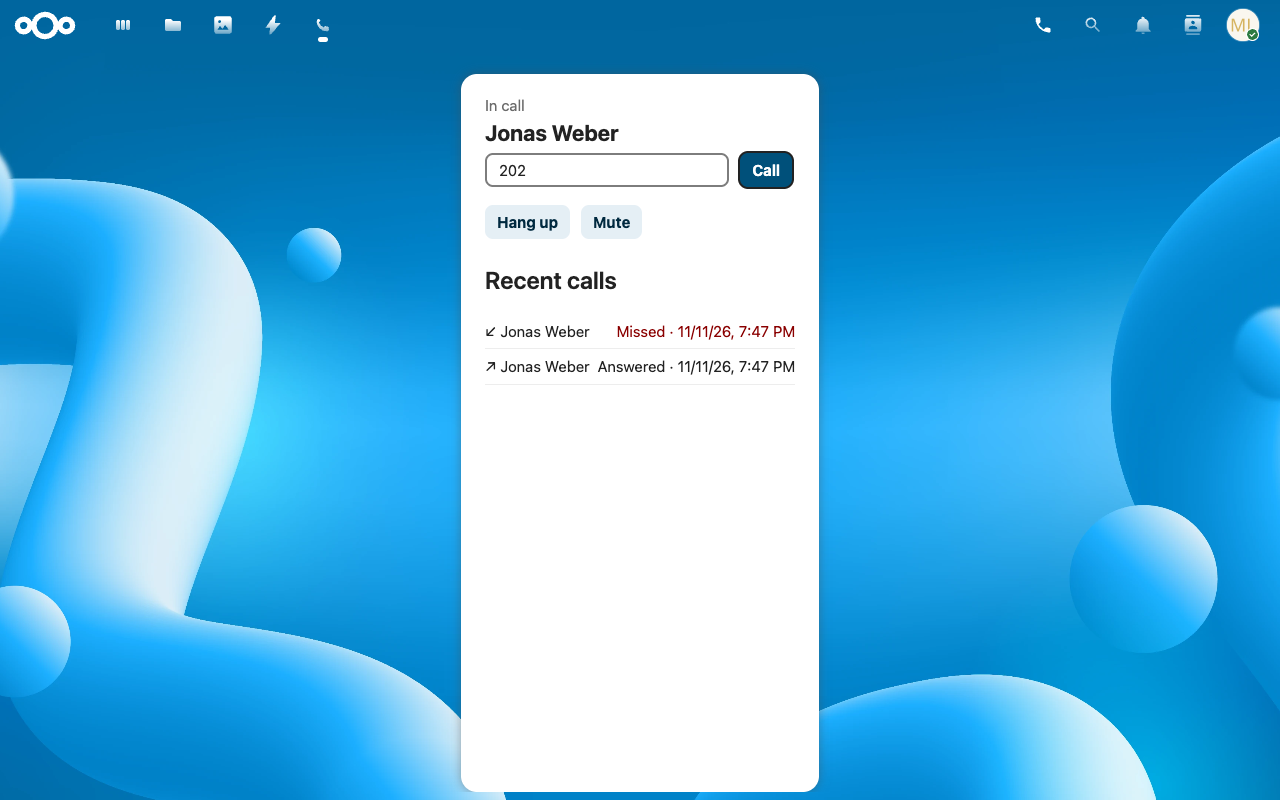
- As a Nextcloud administrator, install Phone System from the App Store (Apps > Integration). Your Nextcloud must use HTTPS, or browsers will block the microphone.
- Open Administration settings > Phone System.
- Choose Create a new phone system to buy one, or Connect existing phone system if you already have one.
- Select the users who get a phone and click Give the selected users an extension. For a phone system you connected, enter each user's extension and its web password, then click Assign.
Making and taking calls
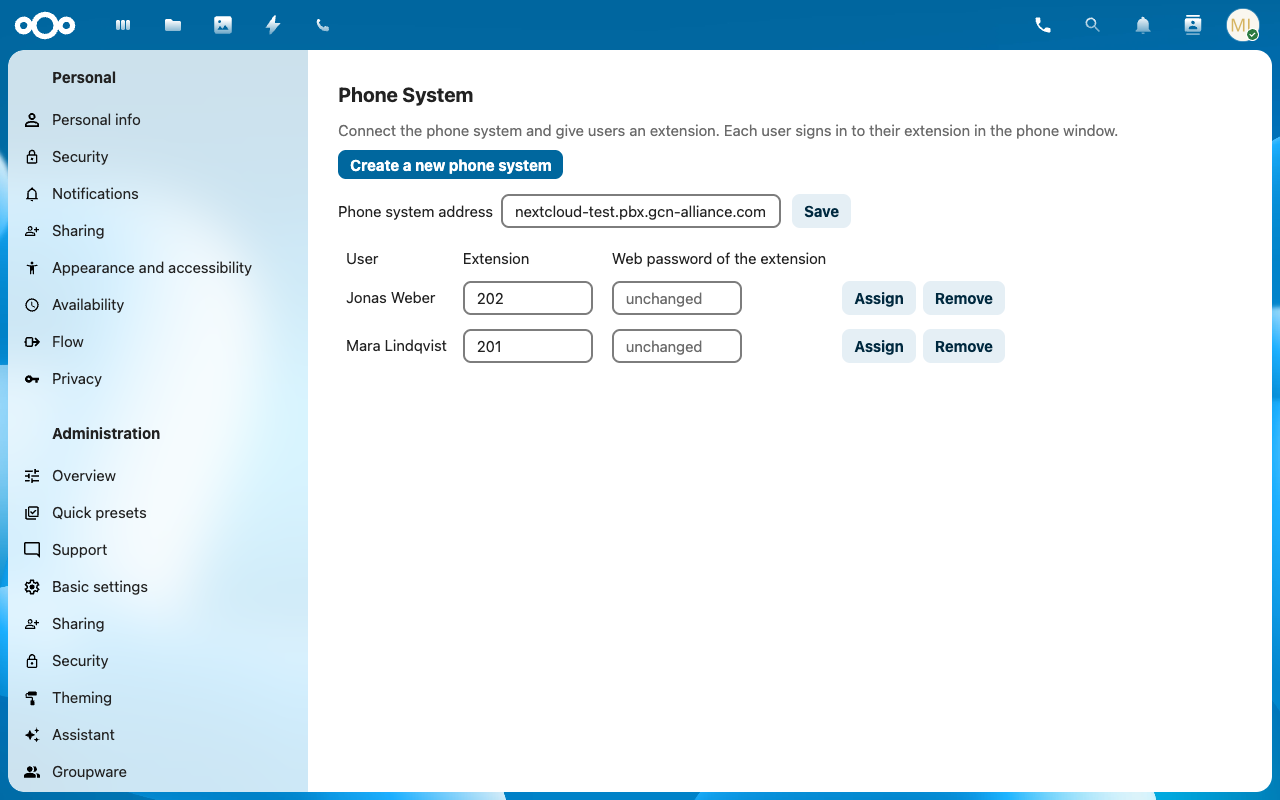
- Open the phone: click the phone icon in the top bar. The phone opens in its own small window, so a call goes on while you work in Nextcloud. Keep it open to receive calls.
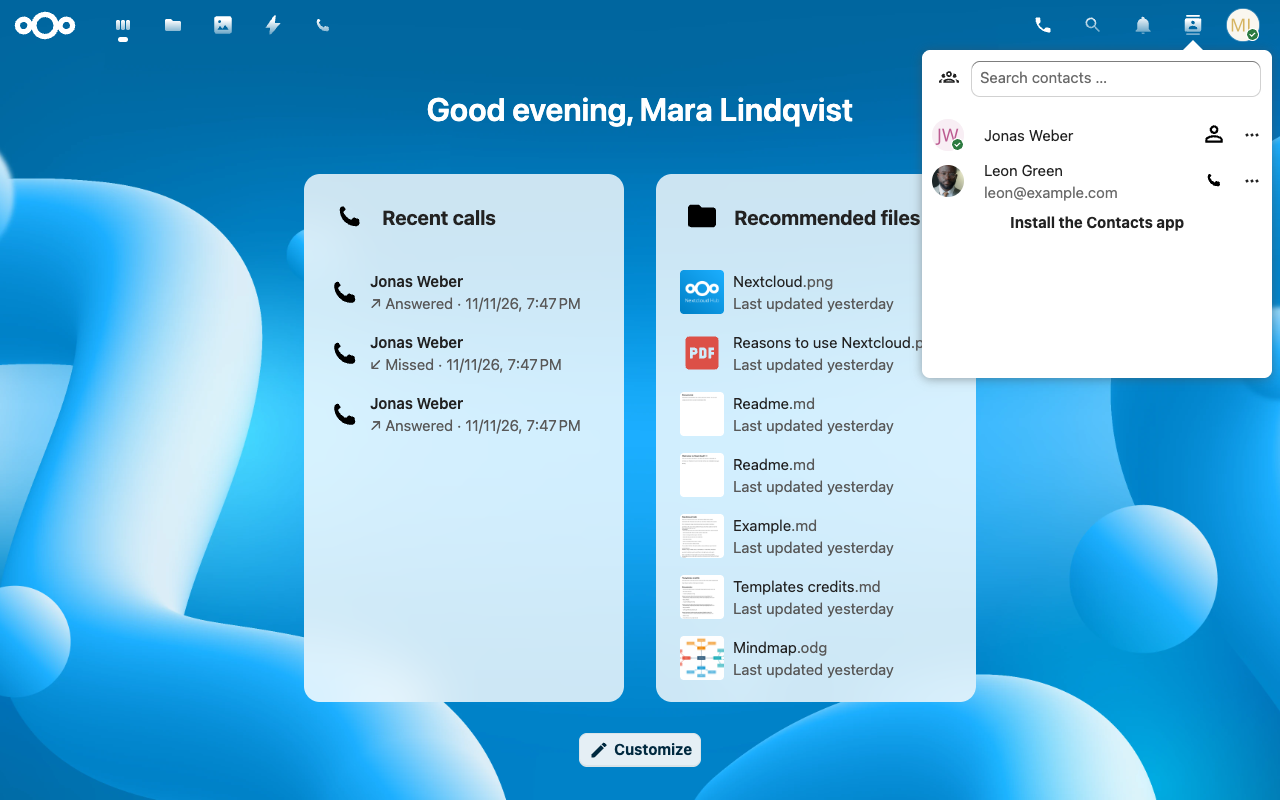
- Call: type a number in the phone, or open the contacts menu in the top bar and click the phone icon next to a contact.
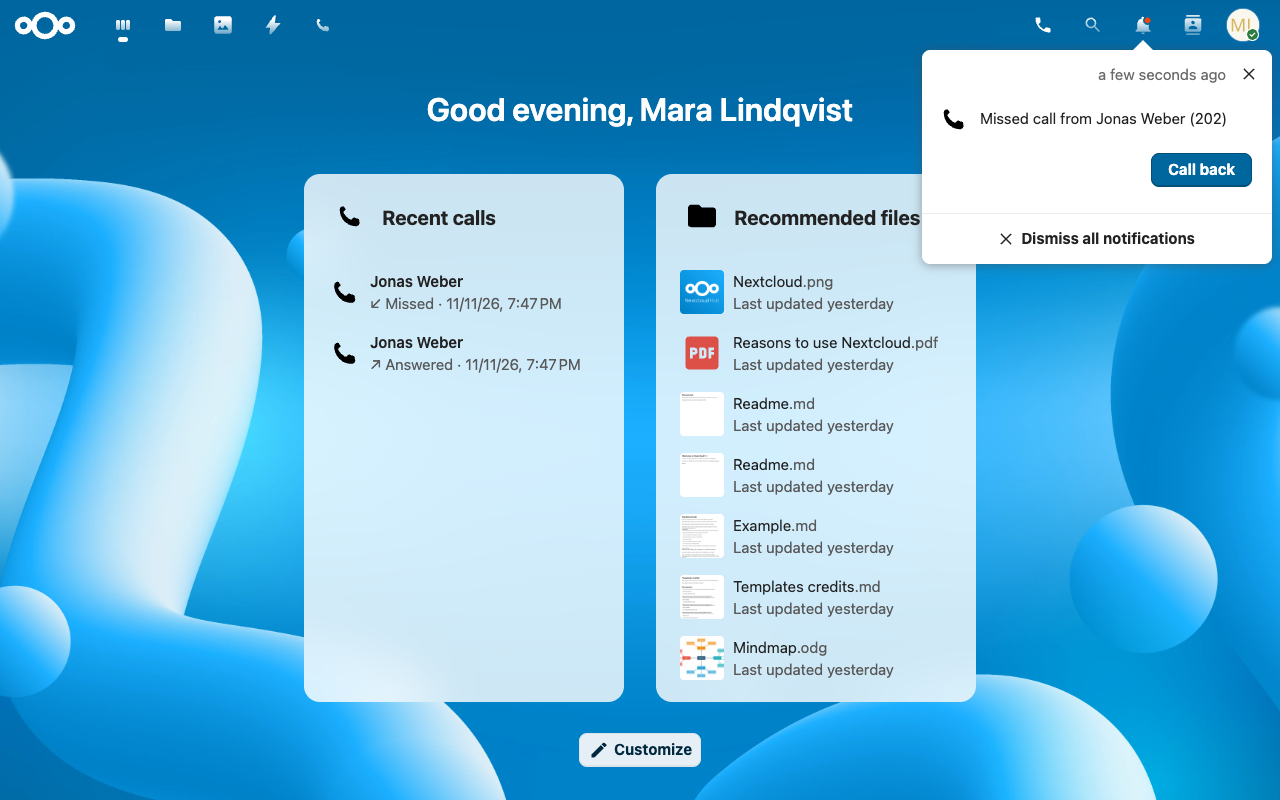
- Missed calls: you get a notification with a Call back button. Calling back clears it. Calls are only noticed while the phone window is open.
- Recent calls: the phone lists them, and you can add them to your Dashboard with Customize.
Phone System and Nextcloud Talk
Phone System does not replace Nextcloud Talk. It adds what Talk is not built for: a business phone system.
- Nextcloud Talk: chat, video meetings and screen sharing with people in and outside your Nextcloud.
- Phone System: your company's phone numbers and calls to and from the public phone network, with call queues, voice menus, call recording, desk phones and mobile apps.
Use both side by side: meet in Talk, and take your customers' calls with the phone.
Plans and billing
- The app is free to install. A new phone system needs a paid subscription.
- Plans go by number of users, monthly or yearly. Current prices appear in the app before you pay.
- Stripe processes your payment, by card or SEPA Direct Debit. We send a code to your email address to confirm the purchase.
- Need more users than your plan includes? Ask your service provider.
Cancelling
- To cancel, change your payment method or read invoices, click Manage subscription under Administration settings > Phone System. A cancelled subscription runs until the end of the paid period.
- When a subscription ends, the phone system stops working at once.
- Its data, including users and settings, is deleted 30 days later.
- Cancelled by mistake? Ask your service provider before that date and it can be restored. After that date it can't be restored.
Fixing common problems
No phone icon in the top bar
Ask your Nextcloud administrator to give you an extension, then reload Nextcloud.
"The microphone is blocked"
Allow the microphone for your Nextcloud site in your browser, then call again. Check that the site uses HTTPS.
"The phone system could not be reached"
Check your internet connection, then close the phone window and open it again.
"The phone system refused your extension's login"
Ask your Nextcloud administrator to check your extension under Administration settings > Phone System.
A second call was declined
The phone takes one call at a time. Finish the current call first.
No missed-call notification
Calls are only noticed while the phone window is open. Keep it open in the background.
Compatibility
- Tested with Nextcloud 33 and 34.
- Tested in Chrome and Firefox. Safari is tested with its engine (WebKit) in automated tests.
Who helps you
GCNA does not provide support. Please contact the service provider (MSP) you subscribed through. Tell them your Nextcloud address, your phone system's name and what you see on screen.